
Home Technology Cyber security CIO Bulletin Highlights The To...
CIO Bulletin, 13 November, 2026
Author:
Sambhrant Das
Mobile phones now play an important role in our lives. Nowadays, mobile applications, cloud services, and secure online storage have changed our perception of them. Today, they are not only communication instruments, but at present they function as the unique means of access to banking accounts, personal messages, and corporate networks. With over 60% of the world's internet traffic now going through mobile devices, this is exactly where the cybercriminals are focused; they're going after the mobile operating systems.
Modern attackers use a lot of sophisticated methods such as smishing, harmful QR codes, unprotected public wireless networks, and malicious applications on phones. Thus, in order to keep your private information and business secrets safe, it is necessary to develop effective practices for mobile cybersecurity as well as install a good software program. Good mobile security habits are something that you can adopt as an everyday user, as well as a remote worker. CIO Bulletin’s ten useful tips presented herewith will allow you to strengthen your phone protection against unauthorized penetration. Following that, we'll look at five of the leading security providers in the world today who are protecting mobile users.
Install Operating System Updates as Soon as Possible: The software patches will close newly discovered security holes that hackers are actively after. To ensure that your smartphone has vital security updates as soon as they become available, turn on automatic software updates.
Switch to Robust Biometrics and Passcodes: eliminate the four-digit PIN in favor of an alphanumeric password and biometrics (fingerprint or face scan). Configure your phone in such a way that it locks after it has not been used for 30 seconds.
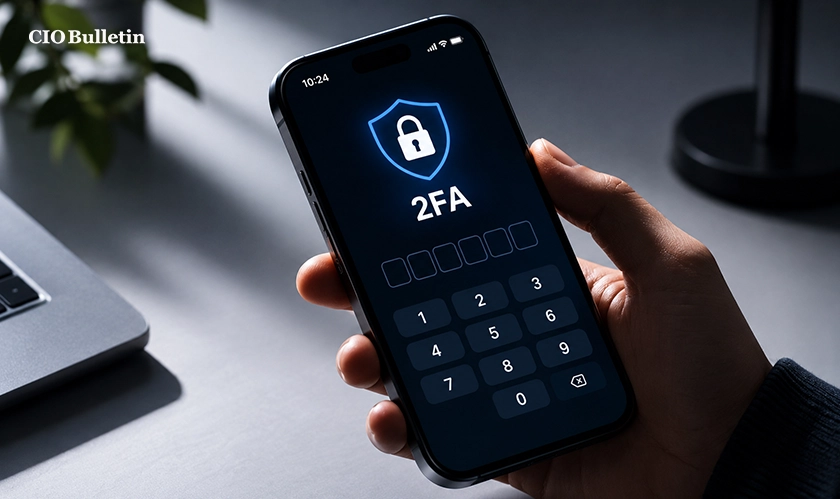
Use Robust Two-Factor Authentication Methods that are Not Susceptible to Phishing: Get rid of SMS one-time passwords, which can easily be hacked with a SIM swap attack. Prefer using authenticating apps or hardware keys to secure your bank and email accounts.
Download Applications From Verified Sources Only: Avoid installing apps from suspicious APKs or unproven developers. Stick to Google Play or the Apple App Store, and before downloading, check the developer's credentials.
Audit App Permissions and Control Accordingly: Evaluate which applications are able to use your camera, microphone, personal data, and relocation. Deny access to applications that do not require it in order to function.
Be Cautious of QR Codes and Suspicious Links: Be wary of an urgent message telling you that there has been a delivery attempt or that your bank account has been blocked. Avoid scanning random QR codes. Always refer to the official app to check your alerts.
Avoid Using Public Wi-Fi Networks That May Not Be Secure: Public hot spots are available in coffee shops and airports, making it possible for hackers to steal your information. While you're on the move, use cellular data or a virtual private network to check sensitive accounts.
Disable any Wireless Connections That You Aren't Using: Turn off Bluetooth, NFC, and Wi-Fi auto-connection. The fewer active signals available, the easier it will be to stay safe from cybercriminals.
Turn on Remote Locating and Wiping Functions: You should activate Find My Apple or Find My Device right away. The ability to lock and wipe a lost phone ensures your data is safe even if your device is physically taken from you.
Conceal Sensitive Notifications: Adjust notification settings so that incoming texts and two-factor authentication codes do not appear on the locked screen.
The question for regular users, IT managers, and advocates for privacy is: Why has smartphone security changed from being optional to being a necessity?
The reason for this phenomenon is the way data density has changed. A laptop or desktop computer is always at a specific location at home or office and is connected to a very limited number of devices at any given time. The smartphone is handy in that it is always within reach and is continually connected through cellular, Wi-Fi, or Bluetooth channels. Therefore, this one gadget has stored passwords, biometrics, medical records, and work-related correspondence.
We should keep in mind that AI has made social engineering ever more powerful and credible. Today, attackers are able to send targeted texts and imitate login pages that perfectly fit the small mobile screen, where the browser address bar can be overlooked. So, the best way to bridge the gap between a person and technology is to invest in smartphone privacy protection.
Following proven cybersecurity tips for mobile users delivers immediate peace of mind and measurable protection:
Stronger Financial and Identity Defence: Layered passkeys and encrypted connections keep your bank details and personal documents safe.
Reduced Risk of Silent Spyware: Regular permission audits and timely OS patches will prevent background trackers from collecting your location history or private conversations.
Safer Hybrid Work Mobility: Separating work profiles from personal apps provides protection for the corporate network without compromising on the convenience of everyday use.
Despite clear rewards, maintaining strict smartphone security presents a few practical hurdles:
Every day Convenience Friction: Typing out long passcodes, approving all the multi-factor prompts and switching VPNs can be cumbersome during a busy day.
Patch Delays on Older Hardware: Budget or older smartphones can lose manufacturer support quite early on and thus be left with unpatched vulnerabilities.
Sophisticated Deception Techniques: Even the most careful user can find it difficult to spot a well-disguised smishing text or a fraudulent QR sticker in a public place.
Once you have addressed all the points of concern (i.e., automated updates and password managers set up), it all becomes second nature. Developing sensible smartphone security habits now means you can fully enjoy the benefits of modern mobile life with genuine confidence and control.
Run a 5 Minute Security Checkup: Enter your phone settings today and make sure any pending OS updates are installed and that automatic patching is turned on.
Upgrade Your Top Five Accounts: Change your primary logins for your email, bank and cloud storage from SMS codes to an authenticator app or passkey.
Declutter the Unused Apps: Get rid of the apps on your home screen that you do not use. Strip any app of location and microphone access if it doesn't need it.
Test your Remote Recovery Settings: Log into your Apple or Google account via a browser to verify that your device's location tracking and remote erase functions are working as they should.
Everything you need to know about this news
Yes, they can. Although iOS and Android use app sandboxing, their phones can still be compromised by malicious downloads from untrusted sources, phishing links, infected attachments, and unpatched vulnerabilities of the OS.
No, it is. An attacker can create a fake hotspot or capture unencrypted traffic from open Wi-Fi and be able to obtain all session cookies and log-in details. The safest option is to instead connect using cellular data or use a reliable VPN.
The main signs of spyware in action are sudden battery drain; a significant increase in mobile data usage, phone heating even when there are no applications on; strange applications appearing in the settings of the phone; and various unusual pop-ups appearing.
Reputable mobile security applications provide excellent protection against threats such as phishing URLs, rogue QR codes, insecure Wi-Fi networks, and others that traditional operating systems won’t detect.
Use another device to activate remote locking and tracking services like Find My or Find My Device, report it to your mobile carrier so that your SIM card is suspended, and change the passwords of your primary email and financial account settings.



















































 consultants ltd.jpg)


Comments