
Home Technology Gadgets Security Camera Installation S...
CIO Bulletin
,
27 May, 2026
Author:
Guest
Most Philadelphia business owners don't think about security cameras until after something goes wrong. A break-in. A theft. A dispute with no footage to back you up, that's usually what triggers the call. But the decision to install surveillance isn't just about reacting to crime; it's about building a system that actually works for how your business operates.
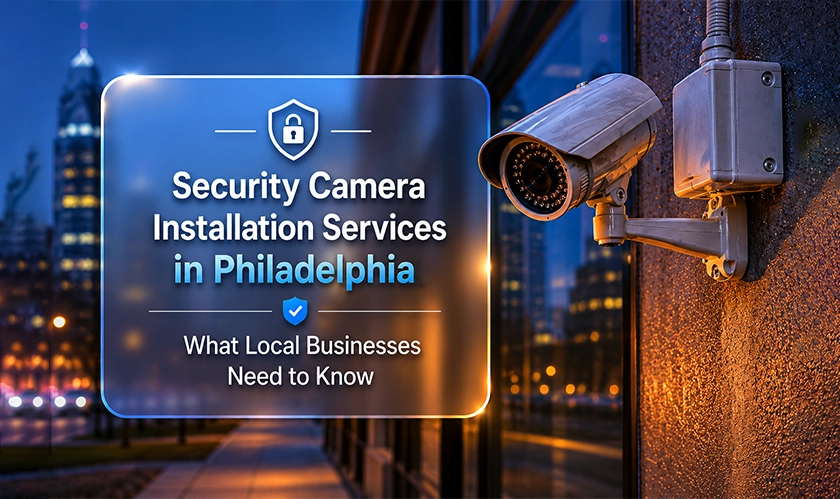
Security camera installation services in Philadelphia cover far more than mounting a few cameras on a wall. This article walks you through the real decisions you'll face: the types of systems worth your money, what separates a professional install from a DIY shortcut, and the questions to ask before you sign a contract.
Every business has a different layout, threat profile, and budget. You can click here to find security camera installation services in Philadelphia that match your specific building and workflow. The first step is knowing what type of system fits your needs. A retail strip in South Philly has different blind spots than a warehouse near the Port Richmond industrial corridor.
IP (Internet Protocol) cameras send footage over your network and record in high definition, often 4K. Analog systems use coaxial cable and tend to cost less upfront, but the image quality gap is real. If you need to read license plates in a parking lot or identify a face at a checkout counter, IP is the better choice.
Analog still makes sense in price-sensitive situations where coverage area matters more than image detail, like monitoring a large storage yard. For most commercial spaces in Philadelphia, though, IP cameras are worth the extra cost.
A lot of businesses protect the inside of their building while leaving loading docks, dumpster areas, and side entrances completely uncovered. Those gaps are where most incidents actually happen. Outdoor cameras need weatherproof ratings (look for IP66 or higher), and placement matters as much as the hardware itself; the catch is that a camera pointing in the wrong direction might as well not be there.
You'll also want to think about lighting. Low-light or IR cameras handle nighttime coverage without flood lights, which is often a better fit for businesses near residential neighbors.
Where your footage lives affects how long you can keep it, how fast you can access it, and what happens if someone destroys the recorder. Local storage on a network video recorder (NVR) is fast and doesn't require monthly fees, but a smashed box means lost footage; cloud storage adds redundancy. Many businesses now run a hybrid setup with local NVR for speed and cloud backup for insurance.
A professional installer will size your storage correctly based on camera count, resolution, and your preferred retention window. Most businesses keep 30 to 90 days of footage.
Professional security camera installation is a complete process, not just hardware placement. A qualified installer surveys your site, designs a camera layout that eliminates blind spots, runs structured cabling through walls and ceilings, configures the recording system, and tests every angle before signing off.
The survey is where most of the real work happens. A good installer walks your property and identifies entry points, high-risk zones, and cable routing paths. They'll map field-of-view overlaps so you don't end up with three cameras covering the same 10 feet while a back hallway goes unwatched.
And here's where you'll discuss height, angle, and vandal resistance. A camera mounted at 8 feet in a retail store captures a wide floor view but may not capture a face clearly without a tilt adjustment. Get this right in planning, not after the install.
Running cable properly through a commercial building takes skill. Installers deal with drop ceilings, conduit runs, fire-rated walls, and existing infrastructure that can't be disturbed. Poor cable management doesn't just look bad; it creates signal loss, interference, and maintenance headaches down the road.
Power over Ethernet (PoE) switches let IP cameras draw power through the same cable that carries data, which cuts installation time and reduces wiring needs. Your installer should spec the right PoE switch capacity for your camera count, plus a buffer for expansion.
A camera that records but can't be accessed quickly isn't much help. Professional installers configure your NVR or cloud platform so you can pull up footage from your phone, set motion-triggered alerts, and grant limited access to managers or security staff without exposing the full system.
They should also set retention schedules, adjust motion sensitivity zones, and walk you through the interface before they leave. If you're still figuring out the app three weeks later, the job wasn't finished right.
Security camera installation services in Philadelphia vary widely in quality, and the gap between a well-designed system and a rushed install shows up fast. Start by matching your camera type and storage setup to your actual building, not a generic package. Hire an installer who surveys the site first and handles cabling, configuration, and remote access as part of the project. And don't wait for an incident to find out your cameras missed the shot; a properly installed system gives you footage that's actually usable when you need it most.



















































 consultants ltd.jpg)


Comments